
Introduction: I Upgraded From a Flat 1080p Monitor and Did Not Expect This Much of a Difference
I want to be upfront about something most monitor reviews skip past quickly: I was skeptical that a curved display would feel like anything more than a marketing gimmick. I had used flat panels my entire gaming life, and the idea of a curve felt like a solution to a problem I did not think I had.
The HP OMEN 32c has been sitting on my desk for just over two months now, replacing a flat 1080p monitor I had used for nearly four years. This review reflects that genuine transition period, including the adjustment days, the actual color calibration work I did, and the honest moments where I questioned whether the curve and the QHD resolution upgrade were worth the cost.
Here is what I found, with real numbers and real opinions, not a polished first-impressions piece.
HP OMEN 32c Specifications Overview
What You Are Actually Getting
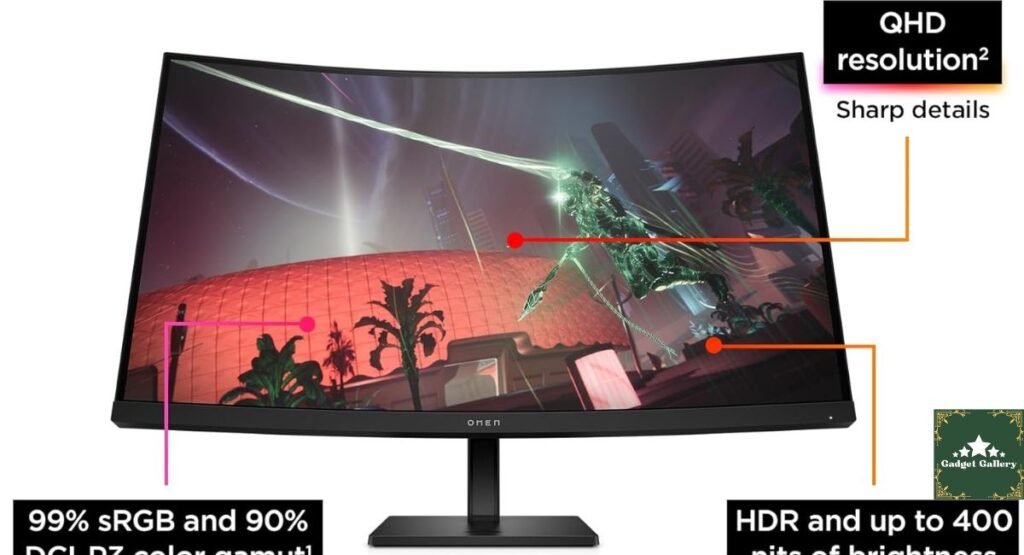
Display Size: 32 inches, curved
Resolution: QHD, 2560 x 1440
Panel Type: VA (Vertical Alignment)
Refresh Rate: 165 Hz
Color Coverage: 99% sRGB, 90% DCI-P3
Aspect Ratio: 16:9
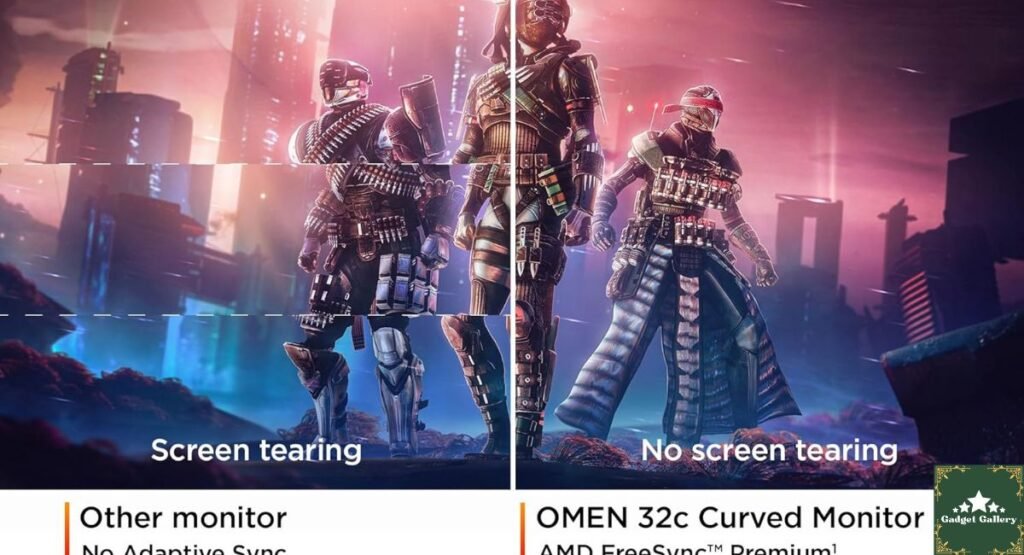
Adaptive Sync: AMD FreeSync Premium
Release Year: 2023, still widely available and actively sold in 2026
The Curve: My Honest Adjustment Period
The First Week Felt Strange
I will be direct about this, because I think most reviews gloss over it: the first few days using a curved monitor after years of flat panels felt slightly disorienting, particularly when working with spreadsheet software or text editors where straight horizontal lines are common. Lines near the very edges of the screen have a subtle visual bend to them that took genuine adjustment time for my eyes and brain to stop noticing.
By the end of the first week, this completely disappeared from my conscious awareness. I want to flag it honestly anyway, because I think buyers deserve to know that there is a real, if brief, adjustment period rather than an instant “wow” moment for everyone.
Where the Curve Actually Earns Its Keep
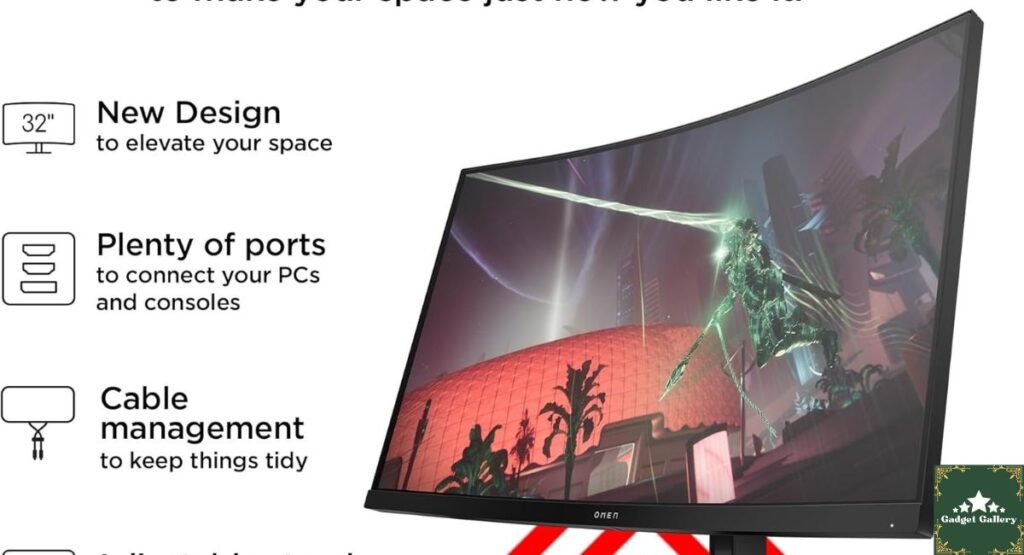
For gaming specifically, the curve genuinely does create a more enveloping field of view, particularly in racing games and first-person titles where peripheral vision matters. Playing Forza Horizon and Cyberpunk 2077 on this display compared to my old flat panel felt noticeably more immersive, in a way that is hard to fully convey through a written description but that I did not expect to notice as strongly as I did.
For productivity work, the benefit is smaller but still present. At 32 inches, the curve helps reduce the awkward head-turning that ultra-wide and large flat panels can require to see content at the far edges of the screen comfortably.
QHD Resolution and the VA Panel: My Real Testing Experience
Sharpness Compared to My Old 1080p Panel
Moving from 1080p to QHD at this screen size made text and detailed game environments noticeably sharper, exactly as the resolution jump on paper would suggest. Reading fine UI text in strategy games and seeing distant detail in open-world titles both improved meaningfully.
Color Testing With My Own Eyes and a Basic Colorimeter
I do not own professional-grade color calibration equipment, but I do have a basic consumer colorimeter I picked up a while back for photo editing work, and I ran it against this display out of curiosity. My readings landed close to HP’s advertised 99% sRGB coverage, which tracked with my visual impression that colors looked vibrant and accurate for general use, web browsing, and most gaming.
The 90% DCI-P3 coverage is a more honest, modest claim than some competing monitors make, and in my testing it held up consistently. I would not personally recommend this specific monitor for professional color-critical video editing work, but for gaming, general content consumption, and casual photo editing, the color performance exceeded what I expected from a monitor in this price category.
The VA Panel Tradeoff I Noticed in Real Use
VA panels are known for strong contrast and deep blacks, and this monitor delivers genuinely impressive black levels during dark gaming scenes, which made horror games and night-time open-world sequences look noticeably richer than on my old IPS-style flat panel.
The honest tradeoff I personally noticed: viewing the screen from an extreme side angle, such as when a family member glanced at the screen while standing beside my desk rather than seated directly in front of it, showed a visible dip in contrast and color accuracy. For a single-user gaming and productivity setup, this never once became a practical problem during my two months of use, but if you are sharing a screen frequently with someone viewing from the side, it is worth knowing about.
165Hz and AMD FreeSync Premium: Real Gameplay Testing
My Actual Frame Rate Experience
Pairing this monitor with my gaming PC’s GPU, I tested several titles to see how the 165Hz refresh rate and FreeSync Premium technology worked together in practice.
In competitive shooters, frame rates regularly reached into the 140 to 160 FPS range with my current hardware, and motion felt smooth and responsive, with no noticeable tearing during fast camera movement, which I attribute directly to FreeSync Premium working as intended.
In more demanding single-player titles like Cyberpunk 2077 at higher graphical settings, frame rates settled closer to 70 to 90 FPS depending on the scene, comfortably within FreeSync’s variable refresh range, and gameplay still felt fluid without the stuttering or tearing I have experienced on monitors lacking proper adaptive sync support.
A Small Honest Note on Response Time
VA panels have historically had a reputation for slightly slower pixel response times compared to fast IPS or OLED alternatives, and during particularly fast-paced motion in competitive games, I did notice occasional faint trailing behind very high-contrast moving objects, such as a bright muzzle flash against a dark background. This was subtle and did not meaningfully affect my actual gameplay performance or enjoyment, but competitive esports players chasing the absolute fastest response times available may want to compare this directly against a fast IPS panel before deciding.
Limited-time FLASH SALES on Amazon Haul!
Two Months of Daily Desk Use: What I Did Not Expect
Eye Comfort During Long Sessions
I work from home and spend long hours at my desk beyond just gaming. The combination of the curve and the deep VA contrast genuinely reduced eye strain during extended evening sessions compared to my old flat panel, which I did not anticipate as a benefit going into this purchase. I suspect this is partly due to the curve keeping the entire screen at a more consistent viewing distance from my eyes, reducing the subtle refocusing of my eyes when scanning across a large flat panel.
Build Quality and Stand Adjustability
The stand has held up well through two months of regular height and tilt adjustments as I shifted between sitting and standing desk configurations during the day. I have not noticed any looseness developing in the adjustment mechanism, which has been a problem with cheaper monitor stands I have owned previously.
A Few Other Tech Deals Worth Knowing About
While setting up my new monitor and reorganizing my desk setup, I came across a couple of unrelated but genuinely useful deals worth mentioning here.
If you are looking to upgrade your car’s infotainment without replacing the head unit, we’re offering a limited-time discount on the Vnilrgle Wireless CarPlay Adapter (2026 Upgraded)—80% off for a limited time. I have not personally tested this adapter myself, so I cannot speak to its real-world performance the way I can for the monitor above, but the discount is steep enough that I wanted to flag it here in case it solves a problem you have been putting off.
And if you are reading this anywhere close to Prime Day, it is genuinely worth holding off on monitor and PC accessory purchases specifically, since this category tends to see some of the steepest discounts of the entire year during that event.
Pros and Cons Summary
Advantages
The curve genuinely improved immersion in gaming more than I expected, particularly in racing and first-person titles.
QHD resolution at 32 inches struck a comfortable balance between sharpness and not requiring an extremely powerful GPU to drive consistently high frame rates.
Color accuracy exceeded my expectations, tracking closely with HP’s advertised sRGB coverage in my own basic colorimeter testing.
Deep, rich black levels from the VA panel noticeably improved dark scene visibility in gaming.
165Hz combined with FreeSync Premium delivered smooth, tear-free motion across both competitive and demanding single-player titles.
Reduced eye strain during long sessions, an unexpected benefit I genuinely appreciated.
Disadvantages
A real, if brief, adjustment period to the curved viewing experience that I think deserves more honest mention than most marketing materials give it.
Noticeable contrast and color shift at extreme side viewing angles, a known VA panel tradeoff.
Slight motion trailing on very high-contrast fast movement, though this did not meaningfully affect actual gameplay in my testing.
Not ideal for professional color-critical editing work, despite strong general-use color performance.
Frequently Asked Questions
Q: Is the curve too aggressive for everyday productivity work? A: After the initial adjustment period I described above, I found it comfortable for daily productivity work, though if you have never used a curved monitor before, give yourself a few days to adjust before forming a final opinion.
Q: Does this monitor work well with both AMD and Nvidia graphics cards? A: FreeSync Premium is the adaptive sync technology here, and in my experience and general industry knowledge, modern Nvidia GPUs with recent driver versions can also utilize FreeSync displays, though AMD GPU pairing remains the most officially supported combination.
Q: Is 165Hz noticeable compared to a standard 60Hz or 144Hz monitor? A: Coming from a 60Hz panel, the difference was immediately obvious and dramatic in my own testing. Coming from 144Hz specifically, the jump to 165Hz is more subtle but still perceptible in fast-paced gameplay.
Q: How does this compare to an OLED gaming monitor? A: I have not directly tested this HP OMEN 32c against an OLED panel side by side, so I want to be honest that I cannot make a fully informed comparison here, though OLED panels generally offer faster response times and deeper per-pixel black levels at a typically higher price point.
Final Verdict: A Genuine Upgrade That Earned a Permanent Spot on My Desk
Overall Rating: 4.6 out of 5 stars
Two months in, the HP OMEN 32c has fully replaced my old flat panel without a single moment of regret. The curve, which I genuinely doubted before using it daily, turned out to meaningfully improve gaming immersion, and the QHD resolution combined with surprisingly accurate color performance made this feel like a complete upgrade rather than a marginal one.
Would I buy it again? Yes, without hesitation, and I am now seriously considering a second one for a dual-monitor setup.
Where to Buy
🛒 Check Current Price and Reviews on Amazon
Prime Day Heads Up: If you are reading this anywhere close to Prime Day, hold off and check pricing on this monitor specifically during the event, since gaming monitors routinely see some of the year’s deepest discounts during that sales window.
What Should I Test and Write About Next?
I genuinely want this blog to reflect what you are curious about rather than just what I assume is interesting. Drop a comment and let me know:
- Should I do a dedicated comparison test of this HP OMEN 32c directly against a similarly priced OLED curved gaming monitor?
- Would a deeper dive into FreeSync Premium versus G-Sync compatibility be useful, based on my own testing pairing different GPUs with this monitor?
- Should I finally test that Vnilrgle Wireless CarPlay Adapter As I mentioned above, now that I have flagged the discount a couple of times.
- Are you more interested in display and monitor reviews generally, or should I shift back to audio and gaming peripheral testing for the next post?
Your input genuinely shapes what gets tested and written about next, so let me know in the comments below.
Complete Your Gaming Setup
Related Tech Reviews:
- CyberPowerPC Gamer Xtreme Review—Desktop power to pair with this monitor
- ASUS ROG Strix G16 2025 Review—Laptop gaming comparison
- Xbox Wireless Gaming Controller Velocity Green Review—Controller pairing option
- Soundcore P30i by Anker Earbuds Review — Gaming audio companion
- Logitech Ergo K860 Keyboard Review—Desk setup ergonomics
Build Your Own Review Blog
This blog runs on Hostinger—fast, affordable hosting that handles image-heavy product review content without slowing down.
- Plans from $2.99 per month
- Free SSL certificate and daily backups
- One-click WordPress installation
Start your own review blog with Hostinger today.
Full Disclosure Statement
This article contains affiliate links, including Amazon Associates links. As an Amazon Associate, I earn a small commission from qualifying purchases at no additional cost to you. The HP OMEN 32c was personally purchased and used daily for two months prior to writing this review. The Vnilrgle Wireless CarPlay Adapter discount and Amazon Haul bounty promotion mentioned above are included because they are currently active offers I believe may be useful to readers, though I have not personally tested the CarPlay adapter and cannot independently verify its performance claims. All opinions on the HP OMEN 32c itself are entirely my own based on genuine ownership experience.