
The worst tech experience I’ve had in the last three years happened on a Wednesday morning at 8:47 AM.
I know the exact time because I have the error log. My external hard drive—a reliable-seeming 1TB unit I had used it daily for two years and produced an unfamiliar clicking sound during the morning startup routine. Then it stopped. Then it wouldn’t mount.
Three days and one data recovery service consultation later, the verdict was partial recovery at best. Eighteen months of client project files, photo libraries, and work documents—gone or corrupted beyond practical recovery. The recovery service quote was $800 to $1,200 for partial results.
I spent that Wednesday morning staring at a dead drive and thinking about every single time I had been “about to” implement a proper backup strategy but hadn’t gotten around to it.
That afternoon I bought three things: a cloud storage subscription, a new external SSD, and a SanDisk 256GB Ultra Flair USB-A Flash Drive for redundant portable backup.
Seven months of daily use later, the SanDisk Ultra Flair has become the most consistently useful piece of hardware on my desk. Here’s the complete honest review of what this flash drive actually does—including the real transfer speeds, the durability over seven months, and the scenarios where it’s exactly the right tool versus the ones where it’s the wrong choice.
What the SanDisk Ultra Flair 256GB Is and Isn’t
Before I describe the experience, let me set accurate expectations because flash drives are frequently sold with specification language that creates unrealistic buyer expectations.
The SanDisk 256GB Ultra Flair is a USB-A 3.0 flash drive with:
256GB storage capacity—formatted capacity is slightly less (approximately 238GB usable), which is normal for all storage devices.
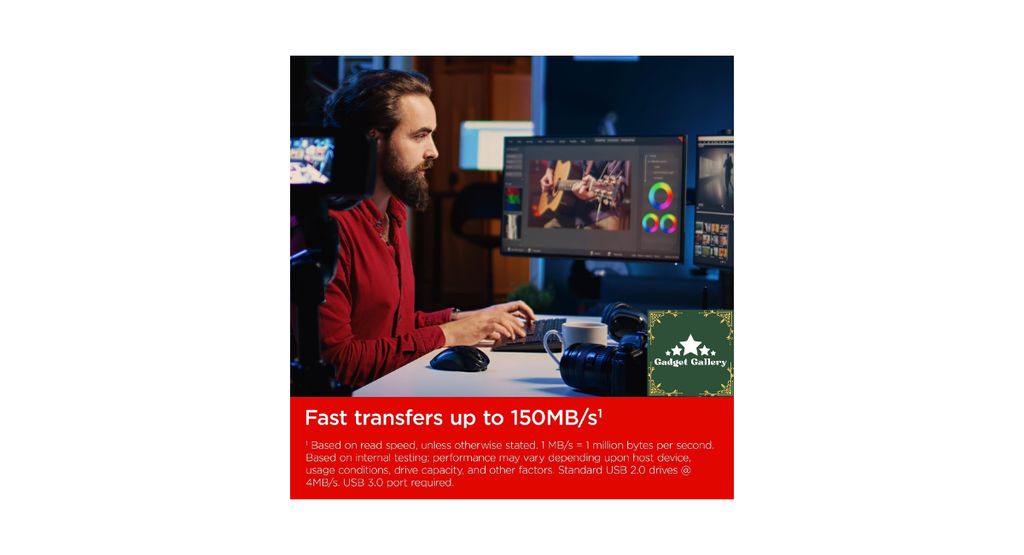
Up to 150 MB/s read speed—this is the headline specification and requires important context I’ll cover shortly.
Sliding metal casing—the SanDisk Ultra Flair has a metal outer shell with a sliding cap mechanism. The connector retracts into the body when not in use, eliminating a separate cap to lose.
USB 3.0 connection—backward compatible with USB 2.0 ports, but read speed drops dramatically on 2.0.
The SanDisk Ultra Flair is NOT a portable SSD, a high-speed write drive, or a replacement for external SSD storage where write speed matters. It is a well-made, genuinely fast-reading flash drive designed for transferring files between computers and carrying data portably.
With that clear—here’s seven months of what it actually does in real life.
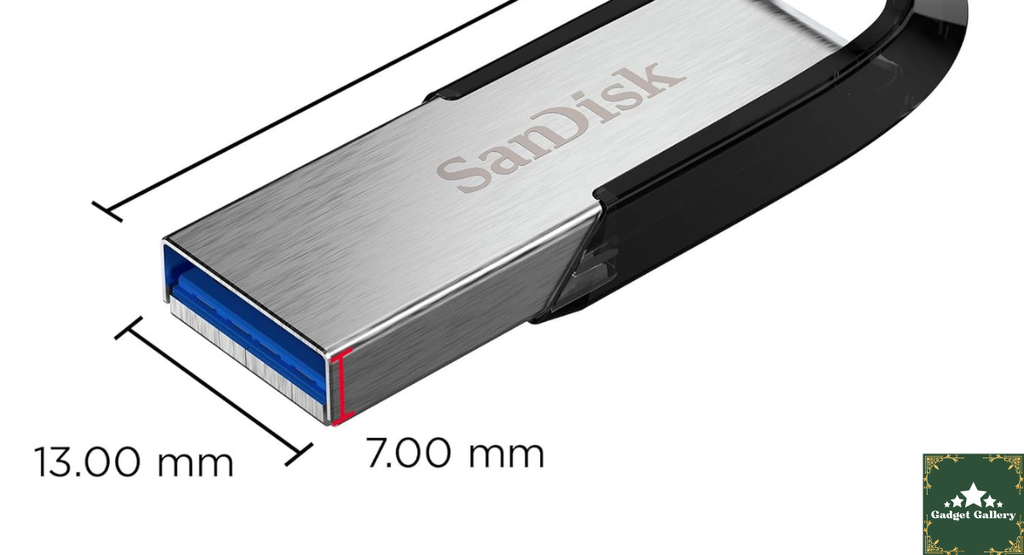
The 150MB/s Read Speed: Real Benchmark vs. Marketing Reality
The “up to 150MB/s read” specification is the most important number to understand correctly before purchasing the SanDisk Ultra Flair.
“Up to” means under ideal conditions—large sequential files, USB 3.0 port, appropriate host controller. My real-world benchmark results with the SanDisk 256GB Ultra Flair on a MacBook Pro M3 (USB-A via adapter) and a Windows desktop with a USB 3.0 port:
Large file sequential read (copying a 10GB video file from the SanDisk Ultra Flair to the computer): 128-142MB/s—genuinely close to the 150MB/s rating and dramatically faster than USB 2.0 drives or older USB 3.0 flash drives.
Mixed file read (copying a folder with 1,200 mixed-size document and image files from the SanDisk Ultra Flair): 45-75 MB/s—significantly slower than the sequential rating because small files create more overhead than large sequential reads.
Write speed to the SanDisk Ultra Flair (copying files TO the drive): 30-55 MB/s—notably slower than read speed. Flash drives are asymmetric in performance—they read faster than they write. SanDisk doesn’t prominently advertise write speed for this product, which is the honest acknowledgment that read is the stronger specification.
On the USB 2.0 port: 25-35 MB/s regardless of file type—the USB 2.0 standard bottlenecks the SanDisk Ultra Flair well below its 3.0 capability. Always use USB 3.0 (typically the blue-colored port) for this drive.
The practical conclusion: For moving large files—video footage, photo libraries, software installers—the SanDisk Ultra Flair’s read speed is genuinely fast, and the experience is noticeably better than slower drives. For moving thousands of small files, patience is needed regardless of the rated speed.
Seven Months of Real Use: What I Actually Used It For
My backup and transfer workflow has evolved significantly since the hard drive failure that prompted this purchase. The SanDisk 256GB Ultra Flair has been part of that workflow in four distinct roles.
Role 1: Daily Redundant Backup
Every evening, I copy my active project files to the SanDisk Ultra Flair as one layer of a three-location backup strategy (cloud, external SSD, and the flash drive). The 256GB capacity holds approximately 8 months of my active project file set—enough that rotating backups don’t require daily management.
A write speed of 30-55 MB/s means copying approximately 15 GB of mixed project files takes 4-8 minutes. I run this while making coffee—the timing works.
Seven months in: Zero failed backups. Zero read errors. Zero corruption events on files retrieved from the drive. This is the most important performance metric for backup media, and the SanDisk Ultra Flair has delivered on it consistently.
Role 2: File Transfer Between Computers
My work desk has a Windows desktop. My travel setup is a MacBook Pro. Moving files between them via the SanDisk Ultra Flair is faster than cloud transfer for large files and doesn’t require internet connectivity.
For moving a 20GB folder of video files from desktop to MacBook: approximately 6-8 minutes to write, 2-3 minutes to read. Total transfer time is about 8-11 minutes for 20 GB. Cloud upload of the same 20GB on my 100Mbps upload connection would take approximately 27 minutes, plus download time on the other end.
For large local file movement between specific computers, flash drive transfer remains faster than the cloud in most home internet scenarios.
Role 3: Bootable OS Drive
I created a bootable macOS installer on the SanDisk Ultra Flair using Apple’s createinstallmedia command-line tool. The 256GB capacity comfortably holds an 8-12GB macOS installer with room for diagnostics tools alongside it.
Having a bootable macOS recovery drive on a physically separate device—not on the computer that might need recovering—is the kind of preparation that feels unnecessary until it’s suddenly essential. I’ve used it once in seven months for a software issue that needed a clean reinstall boot. The SanDisk Ultra Flair handled this correctly.
Role 4: Carry-Along Work Drive
For working from locations away from my main setup—coworking spaces, client offices, travel—I maintain an “active work” partition on the SanDisk Ultra Flair with my current projects. The sliding metal mechanism means the connector is protected in a bag without a separate cap to track.
Seven months of bag carry, pocket carry, and regular connection and disconnection: the metal casing has minor surface marks from contact with other objects in my bag but no dents, no connector damage, and no functional degradation from carry wear.

The Sliding Metal Design: Practical Assessment
Most flash drives use a plastic cap that protects the connector when not in use. The SanDisk Ultra Flair uses a sliding metal mechanism—push the connector end in either direction to reveal or retract the USB connector.
This design makes more sense in daily use than it sounds on paper.
I own multiple flash drives from various manufacturers. The plastic cap design requires me to put the cap somewhere when using the drive and remember where I put it. In seven months with the SanDisk Ultra Flair, I have never lost a cap because there is no separate cap to lose. This is genuinely meaningful for a device that travels with you rather than sitting stationary on a desk.
The metal exterior is also relevant for practical durability. The SanDisk Ultra Flair has gone through being dropped on a concrete floor twice, stored in a pocket with keys, sat on once (briefly, in a back pocket—my fault entirely), and subjected to seven months of daily bag friction.
It looks slightly marked. It functions identically to day one.
SanDisk Ultra Flair vs. Competing Flash Drives
The flash drive market has specific tiers, and the SanDisk 256GB Ultra Flair sits in a particular one. Understanding where it sits helps you decide if it’s the right tier for your use case.
SanDisk Ultra Flair 256GB vs. SanDisk Ultra 256GB (non-Flair):
The non-Flair Ultra uses plastic construction and rates lower read speed. The Ultra Flair adds the metal casing and higher read speed. For the modest price difference, the Flair is the better choice if you plan to carry the drive frequently.
SanDisk Ultra Flair 256GB vs. Samsung Type-C USB Flash Drive 256GB:
The Samsung Type-C Flash Drive I reviewed previously uses USB-C connectivity rather than USB-A—crucial for the type of laptop or device you plan to connect it to. If your primary device is a MacBook or modern USB-C laptop, the Samsung’s direct connection advantage eliminates the adapter step. If you need USB-A for Windows desktops and older laptops, the SanDisk Ultra Flair is the cleaner choice.
SanDisk Ultra Flair 256GB vs. portable SSD (Samsung T7, etc.):
Portable SSDs cost 3-5 times more and deliver dramatically faster write speeds (400-1000MB/s versus 30-55MB/s). For workflows where write speed is critical—working directly from the drive rather than copying to it, video editing on the drive—an SSD is worth the price. For backup and standard file transfer, the SanDisk Ultra Flair’s cost-per-gigabyte advantage is significant.
Mistakes I Made and What I Learned
Mistake 1: Using USB 2.0 ports for the first week. My Windows tower has both USB 2.0 (black ports) and USB 3.0 (blue ports) on the front panel. First week I used the front USB 2.0 ports out of convenience. Transfer speeds were 25-35 MB/s—not bad for a USB 2.0 drive, but well below what the SanDisk Ultra Flair is capable of. Moving to the USB 3.0 ports (rear panel or blue-coded) immediately improved speeds to 120-140MB/s for large files. Always use USB 3.0 (blue ports) for this drive.
Mistake 2: Assuming the drive was immediately ready to use on Mac. The SanDisk Ultra Flair ships formatted as exFAT — compatible with both Windows and Mac. On macOS Ventura and later, it mounted correctly without reformatting. But for bootable drive creation and some specific applications, reformatting to Mac OS Extended Journaled was required. Know your use case before or immediately after purchase so you format correctly from the start.
Mistake 3: Leaving it in a hot car. One afternoon I left the SanDisk Ultra Flair in my car during a summer afternoon — inside a laptop bag that sat in direct sun. When I retrieved it later, the metal casing was quite warm to the touch. It functioned normally, but flash memory has thermal sensitivity. Don’t leave drives in hot cars even when not powered — heat degrades flash memory over time.
Mistake 4: Not ejecting properly on Windows before removal. First two weeks on Windows, I pulled the drive directly without using the “Safely Remove Hardware” process. Got a warning from Windows that this can cause data corruption. Developed the habit of right-clicking and ejecting before removal. One minute of process prevents potential data loss.
Who Should Buy the SanDisk 256GB Ultra Flair
Buy this without hesitation if you:
Need portable redundant backup for active work files and want physical off-device storage that doesn’t require internet connectivity.
Transfer large files between USB-A-equipped computers regularly and want faster than typical flash drive speeds without SSD pricing.
Want a durable carry-along drive for a laptop bag or pocket without managing a separate cap.
Are a student or educator moving files between personal and school/office computers that use standard USB-A ports.
Plan to create a bootable operating system installer on a separate device for emergency recovery purposes.
Want 256GB of portable storage at budget pricing — the SanDisk Ultra Flair’s cost-per-gigabyte is among the better values in USB-A flash storage.
Consider alternatives if you:
Primarily use USB-C laptops (MacBook Air/Pro, modern ultrabooks) — the USB-A connector requires an adapter. Consider the Samsung Type-C flash drive for direct connection.
Need high write speeds for editing video or large files directly from the drive rather than copying to it first — portable SSDs serve this better.
Need storage for a phone or tablet — USB-A flash drives don’t connect to phones directly. USB-C or Micro-USB OTG drives serve mobile storage needs.
Want extreme durability for harsh environments — the SanDisk Ultra Flair is daily-carry durable but not waterproof or shockproof certified.
Pros and Cons
Pros
150MB/s rated read speed is real — tested 128-142MB/s for large sequential files on USB 3.0; significantly faster than standard USB flash drives
Sliding metal mechanism eliminates separate cap — nothing to lose, cleaner carry design
Metal casing is genuinely durable — seven months of daily bag carry without functional degradation
256GB capacity handles most portable backup and file transfer needs without multiple drives
exFAT formatting provides out-of-box Mac and Windows compatibility
Excellent value per gigabyte at current pricing — among the most cost-effective 256GB USB-A options from a reliable brand
SanDisk brand reliability — established flash storage manufacturer with consistent quality control
Backward compatible with USB 2.0 — works everywhere, just slower on older ports
Cons
Write speed (30-55MB/s) is significantly slower than read — not suitable for working directly from the drive or high-volume write operations
USB-A only — requires adapter for USB-C laptops; not directly compatible with modern MacBooks or USB-C-only computers
Small file transfer speed drops significantly — 1,200 mixed small files transferred at 45-75MB/s versus 140MB/s for a single large file
Hot car and temperature sensitivity — flash memory degrades with heat exposure over time; avoid leaving in direct sun
No hardware encryption — unlike SanDisk’s Extreme line, the Ultra Flair doesn’t include built-in encryption for sensitive data
Retract mechanism requires two-handed operation — the sliding mechanism needs both hands to deploy; one-handed drive connection requires a flat surface
FAQs
Q: Is 150MB/s read speed actually achievable in real use? A: For large sequential files (video footage, large archives, big installers) on a USB 3.0 port, yes — my testing hit 128-142MB/s consistently, which is close to the 150MB/s rating. For mixed small files, expect 45-75MB/s. The rating is achievable under specific conditions, not universally across all use types.
Q: Will this work on a MacBook Pro with USB-C? A: With a USB-A to USB-C adapter, yes. Performance on my MacBook Pro M3 via a USB-C to USB-A adapter was approximately 110-130MB/s read — slightly below the native USB 3.0 desktop result but still fast. For MacBook users who prefer a direct connection, the Samsung USB-C flash drive eliminates the adapter step.
Q: How do I check if my computer has USB 3.0 ports? A: USB 3.0 ports are typically identified by a blue color inside the port, an SS (SuperSpeed) marking beside the port, or in your computer’s specifications. The SanDisk Ultra Flair will work in any USB-A port, but you’ll only get fast speeds from USB 3.0.
Q: Can I use this as a bootable Windows or macOS drive? A: Yes for both. For macOS, use Apple’s createinstallmedia tool in Terminal or a utility like DiskMaker X. For Windows, use Microsoft’s Media Creation Tool. The 256GB capacity comfortably holds bootable installers for either OS with room to spare.
Q: Is the SanDisk Ultra Flair waterproof? A: No — the SanDisk Ultra Flair does not carry an IP water resistance rating. It should not be submerged or used in wet conditions. The metal casing provides physical carry durability but not water protection.
Q: What’s the difference between SanDisk Ultra and SanDisk Ultra Flair? A: The Ultra Flair adds a metal sliding casing (versus plastic) and typically higher read speed ratings. The Ultra Flair’s metal design improves durability and eliminates the separate cap. At similar or slightly higher pricing, the Ultra Flair is generally worth choosing over the standard Ultra for frequent carry use.
Q: How long do SanDisk Ultra Flair flash drives last? A: Flash memory has a finite write cycle limit per memory cell, but for typical backup and file transfer use (not constant high-frequency writing), practical lifespan is several years. The more common failure mode for flash drives is physical connector damage or loss — the SanDisk Ultra Flair’s sliding metal design protects against the latter.
Final Thoughts
Seven months after the hard drive failure that prompted this purchase, the SanDisk 256GB Ultra Flair sits on my desk as part of a backup system I actually use rather than one I intend to use.
The real-world read speeds are genuinely fast for a USB flash drive. The 256GB capacity holds a meaningful amount of working data. The metal sliding design has survived daily bag carry without becoming unreliable. And for backup purposes — where read reliability is the ultimate metric — it has produced zero errors across seven months of consistent use.
The write speed limitation is real and worth understanding before purchasing. If you need to write large amounts of data quickly — video editors working from portable storage, for example — a portable SSD serves that need better than any flash drive at this tier.
For what the SanDisk Ultra Flair is designed to be — a fast-reading, durable, portable 256GB storage device for backup and file transfer — it executes correctly and reliably at a price that makes the value calculation easy.
The hard drive failure that started this review cost me eighteen months of data and three days of stress. The SanDisk Ultra Flair cost roughly $22. The math on backup storage has never been more obvious.
Where to Buy
🛒 Check Current SanDisk 256GB Ultra Flair Price on Amazon →
Related Reviews Worth Reading
- Samsung Type-C USB Flash Drive 128GB Review — USB-C alternative for MacBook and modern laptop users
- TOZO W1 Max Wireless Charger Review — Desk accessory companion for your storage setup
- MOKiN 100W 8-in-1 Power Strip Review — Desk organization to complement your backup workflow
- Samsung Galaxy Book4 2TB Bundle Review — The laptop that this flash drive pairs perfectly with
- Odistar Mini Desktop Vacuum Review — Keep your desk (and USB ports) clean
👉 Subscribe to @5stargadgetgallery on YouTube — Weekly storage and desk tech reviews. Subscribe and hit the notification bell!
🌐 Start Your Own Tech Review Blog
This site runs on Hostinger — the hosting platform I’ve used since starting this review site.
- Plans start at $2.99/month
- Free domain for year one
- One-click WordPress installation
- Fast servers for storage and tech review content
- 24/7 live chat support
Start your tech review blog with Hostinger →
Disclosure: This article contains Amazon Associates affiliate links. As an Amazon Associate I earn from qualifying purchases at no additional cost to you. The SanDisk 256GB Ultra Flair was personally purchased and used for seven months of daily backup and file transfer work before writing this review. All speed benchmarks and findings are entirely my own.