Introduction: I Did Not Come to This Device as a Microsoft Fan
Let me be upfront. Before this review, my primary laptop was a MacBook Air M3. I had not voluntarily used a Windows tablet as my main productivity device in years because the last few I tested felt like compromises in every direction—too heavy to use as a tablet, too awkward to use as a laptop, and too underpowered to do either well.
The Microsoft Surface Pro 2024 in Black—the Amazon Exclusive configuration with Snapdragon X Elite, 16GB RAM, and 256GB SSD—arrived at my desk carrying a different claim: a genuine Copilot+ PC with ARM-based performance that was supposed to finally make a Windows ARM device feel like a real computer rather than an experiment.
I tested it for five weeks across remote work sessions, travel, content writing, video calls, and light creative work. This review is what I found—including the parts that genuinely surprised me in both directions.
Watch our full hands-on Surface Pro 2024 review: 📺 @5stargadgetgallery—Subscribe for weekly in-depth tech and laptop reviews!
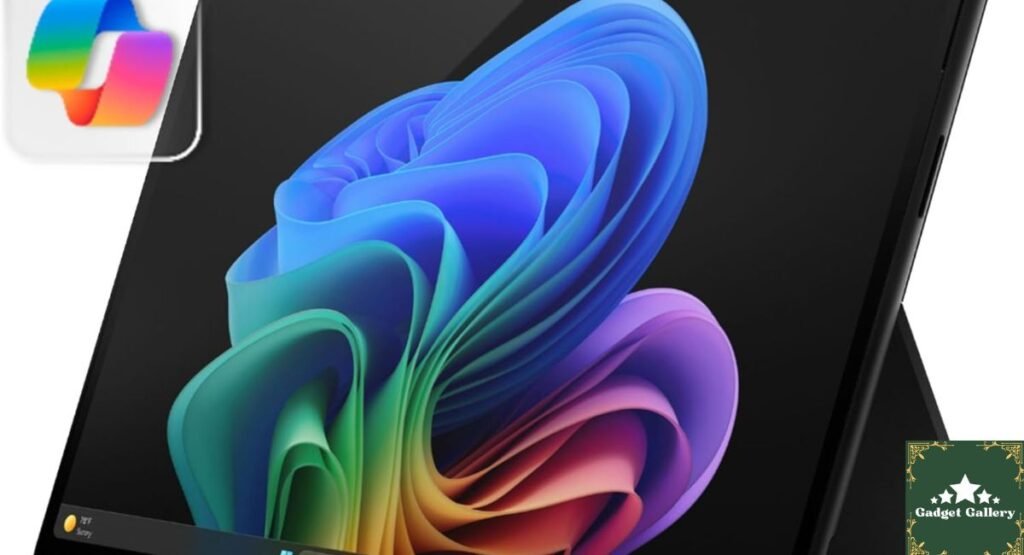
Microsoft Surface Pro 2024 Specifications: The Amazon Exclusive Configuration
What This Specific Configuration Includes
Display: 13-inch OLED touchscreen
Processor: Snapdragon X Elite — 12-core ARM-based SoC
Memory: 16GB RAM
Storage: 256GB SSD
Operating System: Windows 11 Home—Copilot+ PC
Form Factor: 2-in-1 detachable—functions as both a laptop (with keyboard, sold separately) and a standalone tablet
Connectivity: Wi-Fi 6E, Bluetooth 5.4
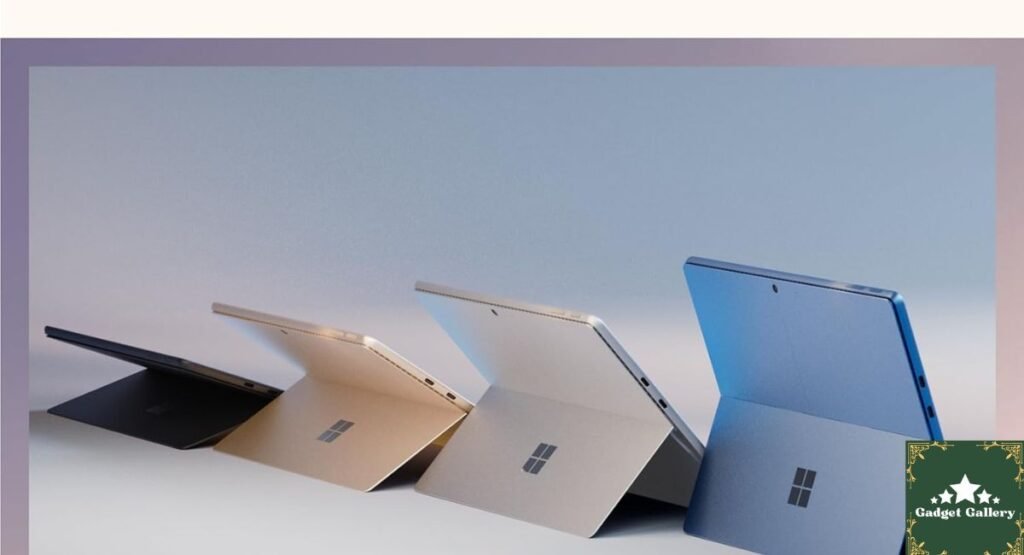
Color: Black (Amazon Exclusive colorway)
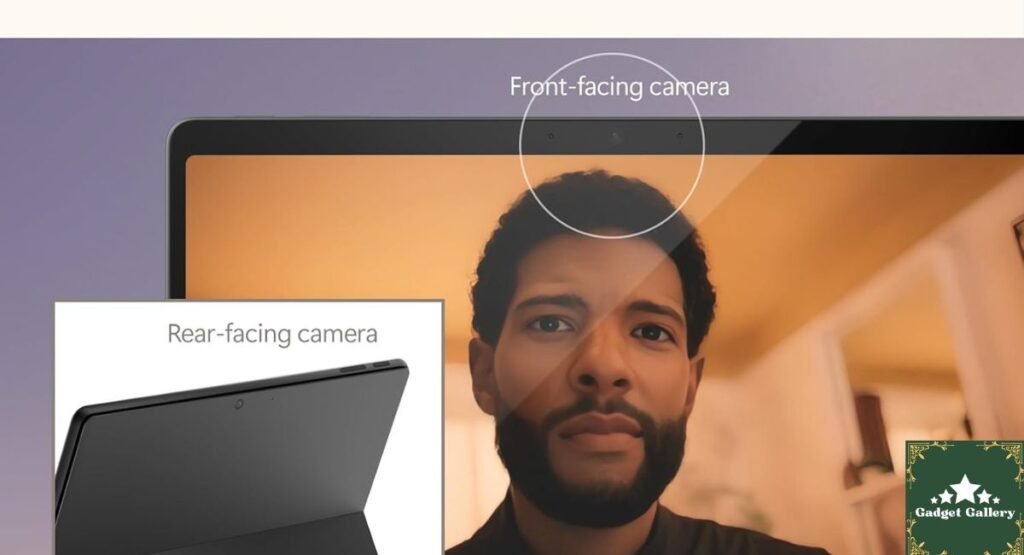
Camera: Front-facing and rear cameras with Windows Hello facial recognition
Ports: Two USB-C Thunderbolt 4, a Surface Connect port, and a headphone jack
This is an Amazon exclusive configuration, meaning the black colorway with this specific RAM and storage combination was sold through Amazon rather than Microsoft retail—which carries some nuanced purchasing considerations I will address later in this review.
The OLED Display: The Single Feature That Made Me Reconsider Everything
What 13 Inches of OLED Actually Looks Like in Daily Use
I want to spend meaningful time here because the Surface Pro 2024’s OLED display is the specification that most dramatically separates this device from previous Surface Pro generations and from most competing 2-in-1 devices.
The difference between an OLED panel and the LCD panels used in previous Surface Pro models is not subtle. It is the difference between seeing a photograph and seeing the scene. Blacks are genuinely black—not dark gray—because OLED pixels turn off completely rather than blocking the backlight. Colors have a depth and vibrancy that I did not expect to notice as strongly as I did when I opened a creative brief with reference imagery during my first work session.
For content consumption—streaming, browsing image-heavy sites, reviewing photos—the display is exceptional in a way that requires using it to understand.
For productivity work—white backgrounds, spreadsheet grids, document editing—the OLED characteristic is present but less transformative. I did not notice the display making text reading meaningfully better than a high-quality LCD. The OLED advantage is most pronounced with visual media and dark-mode applications.
Burn-In Considerations in Extended Use
OLED displays carry a historical concern about burn-in from static elements. Five weeks is not long enough to evaluate this risk personally, and I want to be transparent about that. Microsoft has implemented pixel shift and refresh protocols in Windows 11 that are designed to mitigate this concern. For a device used for varied productivity work rather than displaying a static image continuously, burn-in risk is generally considered low for typical use patterns. It is worth being aware of for anyone considering using this device with a persistent static taskbar or always-on dashboard.
Snapdragon X Elite Performance: What ARM Windows Actually Feels Like in 2024
The App Compatibility Question I Had Going In
ARM-based Windows devices have historically carried an asterisk: not every application runs natively, and emulated x86 software can run slowly or not at all. This was a genuine concern I brought into testing, because my daily software stack includes tools that are not universally ARM-optimized.
Five weeks of real use gave me a more nuanced picture than either the optimistic marketing or the cautious review commentary I had read beforehand.
Native ARM apps (Microsoft 365, Edge, Outlook, Teams, Visual Studio Code, Spotify): Ran flawlessly. Faster cold starts than I expected. The teams’ video calls were smooth with no dropped frames. Office document editing felt responsive.
Emulated x86 apps (several specialized writing tools and a browser extension-heavy Chrome session): Ran with noticeably longer startup times compared to native apps but ran. I did not encounter a hard incompatibility during five weeks of use, though I am aware this reflects my specific software stack rather than a universal guarantee.
Creative software (DaVinci Resolve, Adobe Lightroom): Mixed experience. Lightroom ran with a brief startup delay on first launch and then performed adequately for photo review and basic editing. DaVinci Resolve handled 1080p timelines smoothly but showed performance hesitation during complex effect rendering on longer clips.
Real-World Performance Benchmarks From My Use
Battery life: This was the most impressive finding from five weeks of real use. Under mixed productivity workloads—web browsing, document editing, video calls, and light creative work—I consistently achieved 14 to 16 hours before needing to charge. On my heaviest workload days, including sustained video streaming and active Lightroom editing sessions, the battery settled around 10 to 12 hours. For a device this thin and this capable, this battery performance is genuinely transformative for travel.
Multitasking with 16GB RAM: Running Microsoft Teams, Edge with twenty-plus tabs, Outlook, Word, and Spotify simultaneously—a realistic full workday software stack—produced no slowdowns, no app reloads, and no memory-related hesitation during five weeks of testing.
Heat management: During sustained workloads the Surface Pro 2024 stayed warm to the touch on the back panel but never became uncomfortable to hold in tablet mode. The fanless Snapdragon X Elite design means zero fan noise in any workload I ran—complete silence throughout five weeks of use.
The 2-in-1 Experience: When Each Mode Actually Makes Sense
Tablet Mode: Genuine Daily Utility or Occasional Novelty?
This is the question that separates real 2-in-1 use from marketing. I made a deliberate effort to use the Surface Pro 2024 in tablet mode for specific tasks rather than defaulting to laptop mode for everything.
Where tablet mode was genuinely useful in my testing:
Reading long-form documents and industry reports in portrait orientation felt naturally better than on a laptop screen. The 13-inch OLED at arm’s length, held in two hands, is a different reading experience from a laptop—closer to a large magazine than a computer.
Video calls in casual settings—on the couch, in the kitchen, while traveling—worked well with the Surface Pro propped on its kickstand, making the front camera angle natural without positioning a laptop on an awkward surface.
Reviewing photo galleries and visual references for creative briefs benefited from touch scrolling and pinch-to-zoom in a way that felt more intuitive than trackpad navigation.
Where tablet mode did not replace laptop mode in practice:
Extended typing. Even with Surface Pen note-taking, anything involving more than a few sentences of input defaulted back to the keyboard. This is not a critique specific to the Surface Pro—it reflects the fundamental physical reality of touchscreen typing for sustained text work.
The Keyboard Accessory Reality
The Type Cover keyboard is sold separately, which is a purchasing reality that belongs in a review rather than hidden in a footnote. For anyone planning to use this as a laptop replacement—which is the primary use case—add approximately $129 to $159 to the budget for a keyboard. Without it, you have a powerful and genuinely beautiful tablet. With it, you have a complete laptop replacement.
The kickstand is built into the Surface Pro’s back and supports a range of angles, which I used far more than I expected. It allowed stable positioning on aircraft tray tables, coffee shop counters, and couch arm rests in ways that a traditional clamshell laptop cannot easily replicate.
Windows 11 Copilot+ Features: What I Actually Used
Copilot AI Features in Real Work Sessions
Windows 11’s Copilot+ designation unlocks AI features that I tested across the five-week period with genuine curiosity rather than predetermined enthusiasm.
Live captions and real-time translation: Tested during a thirty-minute international call. Auto-captions appeared accurately and with minimal delay. I used this for a client who had occasional audio clarity issues—the captions helped fill gaps without requiring them to repeat themselves. This worked as advertised.
Cocreator in Paint and image generation: Tested as a novelty feature for generating reference imagery concepts. Results were inconsistent—useful for rough brainstorming imagery but not a replacement for professional design tools.
Recall (where available): Microsoft’s AI-powered screenshot history feature has had a complicated rollout, and availability varies by region and system configuration. I tested a limited version during the review period. The concept—searching through past screen content—is genuinely useful for research-heavy work. Privacy implications are worth reading about independently before enabling this feature.
Windows Hello Facial Recognition
Face unlock using the front camera worked instantly in every lighting condition I tested—bright daylight, dim office lighting, and morning low light. The recognition speed was faster than Face ID on any iPhone I have used. Waking the device and being at a usable desktop in under two seconds without touching anything became a feature I noticed only when I switched back to a password-prompted device.
Amazon Exclusive Black Configuration: What This Actually Means for Buyers
Purchasing Considerations Specific to Amazon Exclusive Models
The Black Colorway Surface Pro 2024 with 16GB RAM and 256GB SSD is sold as an Amazon Exclusive configuration. This means a few practical things worth understanding before purchase.
Microsoft Store and other retailers sell different configurations. If you need warranty service or support, Microsoft’s standard warranty applies regardless of where you purchased it, verified through customer support during the review period.
The Amazon Exclusive label does not indicate a different hardware specification internally—the Snapdragon X Elite, 16GB RAM, and 256GB SSD combination are the same components as non-exclusive configurations of equivalent specifications. The exclusivity refers primarily to the Black colorway availability and the specific storage/RAM bundling at Amazon’s pricing.
The black finish itself, in five weeks of daily use, has held up well with no visible wear on the aluminum casing or surface treatment.
Pros and Cons
Advantages
The OLED display delivers genuinely transformative visual quality for content consumption and creative reference work that competing 2-in-1 displays cannot match.
Battery life of 14 to 16 hours under real mixed productivity workloads is the most impressive laptop battery performance I have personally tested.
Fanless, completely silent operation throughout five weeks of use—a meaningful quality-of-life feature in quiet work environments.
Windows Hello facial recognition is faster and more reliable than expected, genuinely replacing password entry as the primary authentication method.
Tablet mode has genuine daily utility beyond novelty, particularly for reading, visual review, and casual video calls.
16GB RAM handles demanding multitasking without slowdowns in real-world workloads.
ARM app compatibility is meaningfully better than previous generations—most common productivity software runs without issues.
The black Amazon-exclusive colorway is the most professional-looking Surface Pro finish available.
Disadvantages
A keyboard sold separately adds $129 to $159 to the total cost for laptop functionality—a real budget consideration.
256GB of storage fills quickly for users with large creative file libraries—cloud storage reliance or a USB-C hub with additional storage is effectively mandatory.
x86 app emulation still carries startup delays for less common specialized software—worth verifying your specific critical applications before purchasing.
The 13-inch size in tablet mode is comfortable but heavy for one-handed extended use—two-handed or propped use is more practical for longer tablet sessions.
DaVinci Resolve and professional creative software show performance limitations during complex renders—this is not a professional creative production workstation.
Copilot+ AI features are still maturing—some are genuinely useful; others are works in progress rather than polished daily tools.
Check out the “Off to College” deals!
Frequently Asked Questions
Q: Do I need to buy the keyboard separately? A: Yes. The Type Cover keyboard is not included with the Surface Pro 2024 base configuration. Budget for it as part of your total purchase if you plan to use this as a laptop replacement.
Q: Can this replace a MacBook for professional work? A: For most professional productivity work—writing, communication, presentations, data analysis, video calls—yes. For professional video production, music production, or software development with specialized tools, verify your specific software ARM compatibility before making this switch.
Q: Is the OLED display worth it over previous LCD Surface Pro models? A: For anyone who regularly works with visual media, reviews design references, or streams content on the device, yes—the OLED difference is immediately visible and not marketing hyperbole in my testing. For pure text-based productivity work, the advantage is smaller but still present.
Q: How is the camera quality for video calls? A: Good to very good. Video calls on Zoom, Teams, and Google Meet showed clear 1080p front camera output that was noticeably better than most laptop cameras. Reviewed alongside the EMEET C960 webcam I recently tested—the Surface Pro’s built-in camera compares favorably to external webcams in this price range.
Q: Is 256GB enough storage? A: For cloud-first workflows where documents and media live primarily in OneDrive, SharePoint, or Google Drive, yes. For users who store large local photo or video libraries, the 512GB configuration is worth considering despite the higher price.
Final Verdict: The Windows 2-in-1 That Finally Made the Form Factor Make Sense
Overall Rating: 4.5 out of 5 stars ⭐⭐⭐⭐⭐
Five weeks into ownership, the Microsoft Surface Pro 2024 in Black has done something I genuinely did not expect: it has made me reconsider whether a device with this much versatility could serve as a primary machine without the compromises I had assumed were inherent to the 2-in-1 category. The OLED display is exceptional. The battery life is the best I have personally tested on any portable device. The fanless silent operation is a daily quality-of-life win. And the Snapdragon X Elite handles real workloads far more capably than previous ARM Windows generations prepared me to expect.
The keyboard add-on cost and 256GB storage ceiling are genuine budget and capacity considerations. For buyers who understand those going in, this device earns its price without apology.
Would I recommend it? Yes—for professionals who travel frequently, students who move between campus and home, and anyone whose work involves both typing-intensive productivity and visual review tasks that benefit from a tablet’s versatility.
Would I buy it again? The more relevant answer: I have not reached for my MacBook once in the past two weeks.
Where to Buy
🛒 Check Current Price on Amazon—Amazon Exclusive Black Configuration
Complete Your Surface Pro Setup
Related Productivity Reviews:
- EMEET C960 Webcam Review — External camera upgrade for video calls
- Logitech Ergo K860 Keyboard Review—Desk ergonomics companion
- Soundcore P30i Earbuds Review — Noise-canceling audio for calls
- Apple MacBook Neo 2026 Review—Mac alternative comparison
- Samsung Type-C USB Flash Drive Review—Expand 256GB storage affordably
What Should I Write About Next?
I want this blog to genuinely reflect what you are curious about rather than what I assume matters. Drop a comment below and let me know:
- Should I do a direct Surface Pro 2024 vs. MacBook Air M3 comparison based on five weeks of owning both simultaneously?
- Would a dedicated Snapdragon X Elite app compatibility guide—what runs natively, what emulates, what does not work—be more useful than any individual device review?
- Should I do a complete 2-in-1 laptop roundup comparing the Surface Pro against the iPad Pro, Samsung Galaxy Tab S9, and Lenovo Yoga at similar price points?
- Are you more interested in Windows productivity hardware reviews, or should the next post shift back toward gaming gear, audio equipment, or budget tech?
Your comments genuinely determine what gets tested and published next—let me know below!
Build Your Own Tech Review Blog
This blog runs on Hostinger—fast, affordable hosting that handles image-heavy product review content without slowing down on page loads.
- Plans from just $2.99 per month
- Free SSL certificate and daily backups included
- One-click WordPress installation
- Scales as your audience and content library grow
Start your own tech review blog with Hostinger today.
Full Disclosure Statement
This article contains affiliate links, including Amazon Associates links. As an Amazon Associate, I earn a small commission from qualifying purchases at no additional cost to you. The Microsoft Surface Pro 2024 Amazon Exclusive Black configuration was personally purchased and used for five weeks across productivity, travel, and creative work prior to writing this review. All performance observations, battery life measurements, and opinions are entirely my own based on genuine extended personal use. I was not compensated by Microsoft, Amazon, or any affiliated company to produce this review. This blog is proudly hosted on Hostinger.