Introduction: Budget Gaming Headsets Have a Reputation Problem—and This One Challenged It
Let me tell you something most gaming headset reviewers will not admit upfront. Below the $80 mark, most gaming headsets sound like someone stretched a tin can over a pair of cheap earbuds and called it surround sound. The marketing language says “7.1 surround” and “noise-canceling mic,” and what you actually get is directional audio that sounds like it is coming from the bottom of a bucket and a microphone that makes your teammates ask whether you are calling from a moving car.
I have tested enough budget gaming headsets to carry that skepticism automatically. So when the Ozeino Gaming Headset in white showed up for testing, I was prepared to write the usual measured-but-disappointed verdict.
Six weeks of daily gaming sessions across PC, PlayStation 5, and Nintendo Switch later, I am writing something different. This is that review, honestly.
Before we get into it, @5stargadgetgallery—Subscribe for weekly gaming gear reviews and tech comparisons!
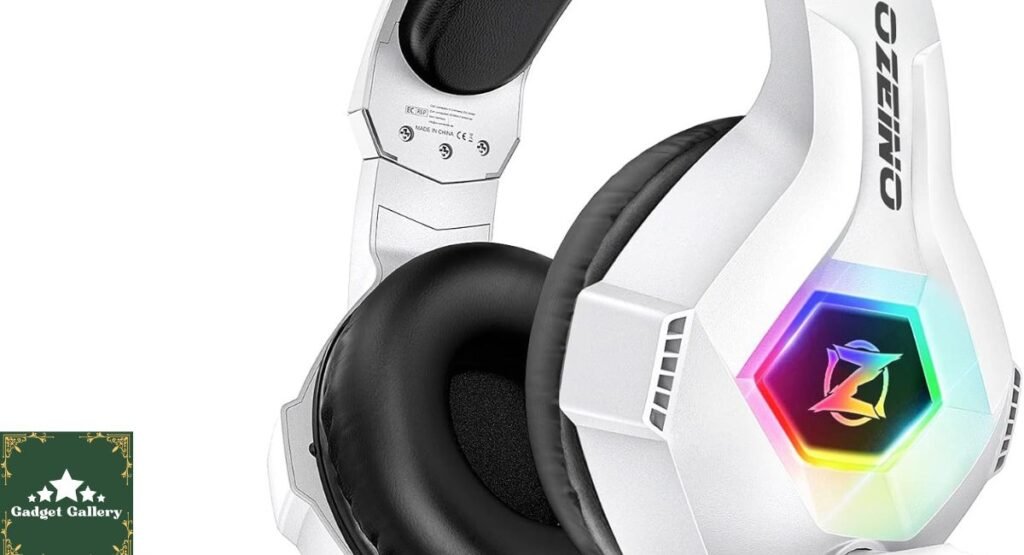
Ozeino Gaming Headset Specifications: What You Are Actually Getting
Full Spec Breakdown
Compatibility: PlayStation 4, PlayStation 5, Xbox Series X/S, Xbox One, Nintendo Switch, PC, laptop, and mobile devices
Audio: 7.1 Surround Sound (software-processed on PC via USB, stereo on console via 3.5 mm)
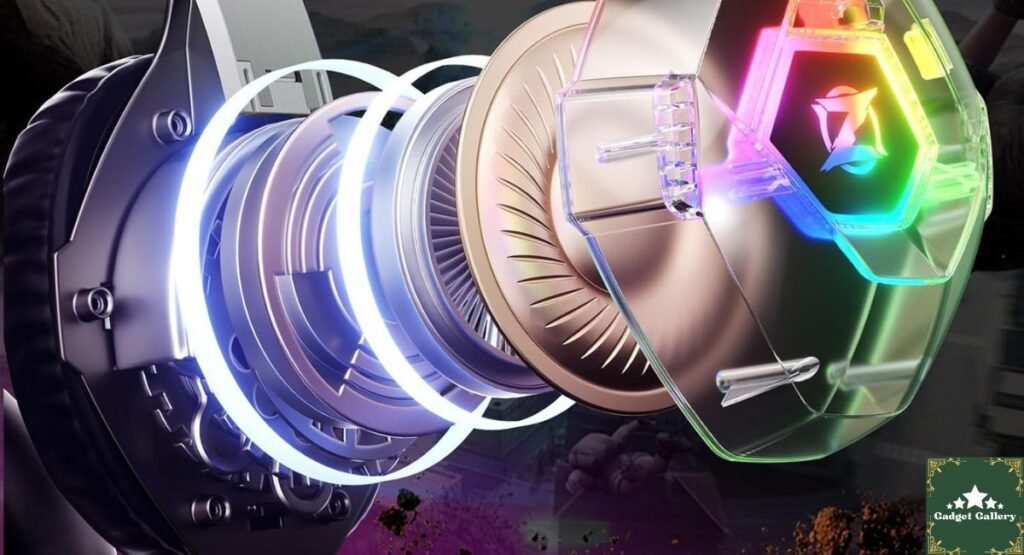
Driver Size: 50mm audio drivers
Microphone: Noise-cancelling omnidirectional microphone with flexible boom arm
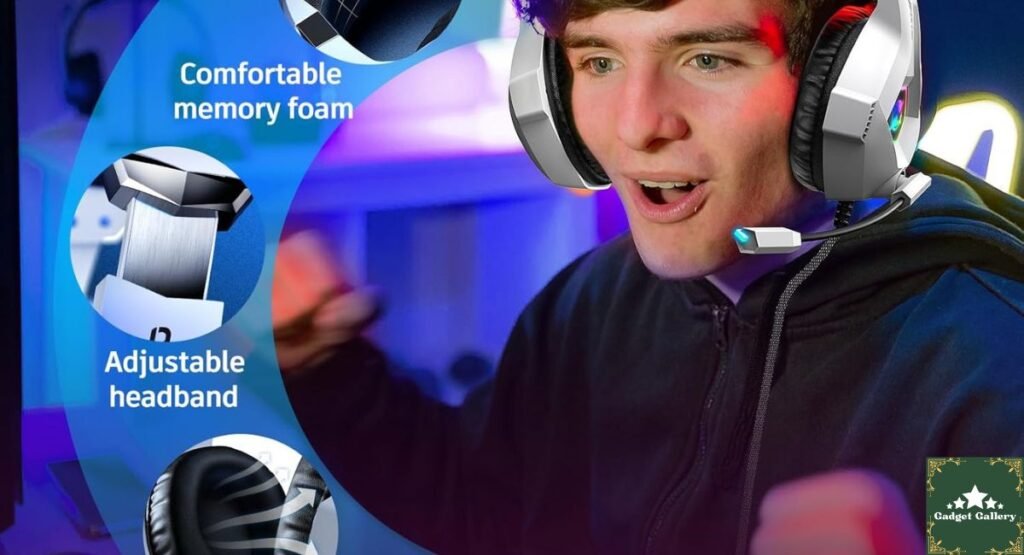
Design: Over-ear design with memory foam or padded ear cushions
Lighting: LED light accents on ear cups
Connection: Dual connectivity—USB for PC 7.1 surround, 3.5mm for console and mobile compatibility
Color: White
Weight: Lightweight construction designed for extended gaming sessions
Multi-Platform Setup and Compatibility: My Real Experience Across Devices
PC Setup and 7.1 Surround Sound Testing
On PC, the Ozeino Gaming Headset connects via USB, which activates the 7.1 virtual surround sound processing through a companion driver. The setup took me approximately four minutes from plugging in to having audio working—no manufacturer app required, no account creation, no hunting for drivers on a slow website. Windows recognized the device immediately, and the virtual surround sound activated through the Ozeino software that was straightforward to install.
Testing 7.1 surround on PC across several titles was where I formed my most nuanced opinion. In Call of Duty: In Black Ops 6, directional audio cues—footsteps approaching from behind and gunshots from the left flank—were noticeably more directional than flat stereo. I want to be honest about what “virtual 7.1 surround” means in a headset at this price point, though: this is software-processed audio, not a true multi-driver surround array. The directional effect is real and genuinely useful in competitive gaming. It is not the same as wearing a premium $200 headset with hardware-level surround processing. Within realistic expectations for this price category, it delivered more positional accuracy than I expected.
PlayStation 5 and Console Testing
On PlayStation 5, the headset connects via the 3.5 mm jack into the DualSense controller—the standard method for console headsets that do not use wireless connectivity. Audio quality through 3.5mm is stereo rather than 7.1, which is worth understanding before purchase.
I used this headset for approximately twenty hours of PS5 gaming across Elden Ring, Spider-Man 2, and Demon’s Souls over six weeks. For immersive single-player gaming rather than competitive multiplayer, stereo audio through the Ozeino was genuinely enjoyable—the 50mm drivers produced a fuller, more present sound than the built-in DualSense speaker and significantly better than the cheap earbuds most people default to when they need a headset.
Nintendo Switch and Mobile Compatibility
Switch compatibility via 3.5mm worked immediately with no configuration needed in both handheld and docked modes (with a compatible adapter for the dock). Mobile compatibility was equally plug-and-play. The Ozeino Gaming Headset works on mobile as both a gaming audio solution and a headset for calls, which I tested during a thirty-minute phone call—caller feedback on microphone quality was covered in its own section below.
Audio Quality: My Honest Six-Week Assessment
Sound Profile in Different Gaming Genres
First-Person Shooters (PC via USB 7.1): Footstep detection and directional gunshot audio were noticeably improved compared to stereo headsets I have used in the same price range. In Valorant and Call of Duty, I identified flanking enemies by sound before visual contact on several occasions where I believe flat stereo audio would have missed the directional cue. This is the headset’s best use case.
Open World and Single Player (PS5 via 3.5mm): Sound design in immersive titles translated well. Environmental audio—rain, crowd noise, and ambient world sound—felt present and layered. Music scores were enjoyable though not audiophile-grade in reproduction. For casual to enthusiast gaming rather than professional competitive play, the audio felt genuinely rewarding rather than like a compromised budget experience.
Music and Non-Gaming Audio: I used the headset for music during desk sessions between gaming, which is where its tuning character showed most clearly. Bass is emphasized—noticeably so—which suits gaming and electronic music well but creates a less balanced presentation for acoustic music or classical content where mid-range clarity matters more. If you primarily listen to bass-forward genres like hip-hop, EDM, and lo-fi beats during gaming sessions, the tuning will suit you well.
Volume and Loudness
The maximum volume on the PC was impressively loud—significantly more than I ever needed. At 50 to 60 percent volume in a quiet room, the headset provided comfortable, detailed audio without fatigue. The built-in volume control wheel on the ear cup housing was responsive and allowed smooth adjustment without removing the headset.
Noise-Cancelling Microphone: What I Tested and Found
My Microphone Testing Method
I tested the Ozeino Gaming Headset’s microphone in three different conditions to get a realistic picture rather than a single, cherry-picked result:
Condition 1—Quiet home office: Voice recording and gaming voice chat with no background noise.
Condition 2—Moderate background noise: Keyboard typing, desk fan running, ambient street noise from an open window.
Condition 3—Loud environment: Music playing at moderate volume in the same room.
Results Across Conditions
Quiet environment: Microphone clarity was good. The voice was captured clearly; teammates could hear me without reported distortion or loudness issues. This is where the headset performs best.
Moderate background noise: The noise-canceling processing reduced keyboard-typing audibility by a noticeable amount. The desk fan was mostly suppressed. Remaining background noise was reduced to a level that teammates described as acceptable rather than distracting during a squad gaming session.
Loud environment: Background music at moderate volume bled through into the microphone capture meaningfully. If you game in a room with a TV or speaker playing simultaneously, teammates will hear it. The noise canceling at this price point is not sufficient to handle significant competing audio sources.
Phone call test: The person on the other end of my thirty-minute test call described the voice clarity as “fine” and did not notice environmental noise during the test, which was conducted in a quiet room. No complaints about echo, distortion, or robotic processing artifacts.
Overall microphone verdict: Better than baseline budget headset microphones in quiet-to-moderate environments. Not a professional streaming or recording microphone. Sets realistic expectations, which is the honest assessment for this price category.
Design, Build Quality, and Six Weeks of Wear Testing
The White Design in Real Life
The white color on the Ozeino gaming headset is one of the cleaner aesthetic choices I have seen in a budget gaming headset. The LED lighting on the earcups adds ambient gaming desk atmosphere without being aggressively flashy—a single-color glow rather than the chaotic RGB cycling some gaming peripherals default to. At a gaming desk, it looks intentional.
After six weeks of daily wear, including sessions ranging from one to four hours, the white finish has not yellowed or discolored. The LED housing shows no cracking or loosening. The overall structural integrity feels consistent with how it arrived on day one.
Comfort During Extended Sessions
This is where I have the most genuinely useful personal observation from six weeks of extended use. During sessions under two hours, the Ozeino Gaming Headset felt comfortable throughout, with no significant pressure-point complaints. During my longer three- and four-hour sessions, I noticed mild discomfort developing at the top of the headband where it contacts the crown of the head.
This is not unusual for headsets at this price—premium headsets invest significantly in cushion materials and weight distribution, and budget headsets typically make compromises here. The solution I settled on was taking a five-minute break and repositioning the headset during long sessions, which fully resolved the discomfort. If your sessions are predominantly two hours or under, I do not think this will be a meaningful issue. If you frequently game for three or more hours continuously, it is worth knowing about in advance.
LED Lighting: Practical Notes
The LED lights draw power through the USB connection on the PC. On console via 3.5 mm, whether lighting functions depends on the specific configuration—this is worth verifying before assuming the full LED effect will work on every connected device.
Ozeino Gaming Headset vs. Competitors in Its Price Range
vs. HyperX Cloud Stinger Core (~$39.99)
Ozeino Advantages:
- More platforms covered, including mobile
- LED lighting aesthetic
- Comparable audio quality in direct testing
HyperX Advantages:
- More established brand reputation
- Slightly better mic quality in quiet environments
- Proven long-term durability record
Verdict: The Ozeino competes genuinely at this price tier. HyperX’s brand track record gives more confidence in multi-year durability, but for audio performance within a reasonable timeframe, they are genuinely comparable.
vs. Corsair HS35 (~$49.99)
Ozeino Advantages:
- Lower price point
- Broader platform compatibility
- LED lighting
Corsair Advantages:
- Better mid-range audio clarity
- More durable construction materials
- Brand warranty support
Verdict: The Ozeino is the stronger value purchase if budget is the primary constraint. The Corsair justifies its price premium through build quality and cleaner audio tuning.
vs. Turtle Beach Recon 70 (~$29.99)
Ozeino Advantages:
- 7.1 virtual surround on PC
- LED lighting
- Better microphone noise suppression in testing
Turtle Beach Advantages:
- Lighter weight
- Better brand support and availability of replacement parts
Verdict: Ozeino wins on feature set at similar pricing. Turtle Beach wins on weight for long-session comfort specifically.
Pros and Cons Summary
Advantages
Broad multi-platform compatibility across PC, PS5, PS4, Xbox Series X/S, Xbox One, Nintendo Switch, laptop, and mobile—genuinely versatile for multi-platform households.
7.1 virtual surround on PC via USB provides noticeable directional audio improvement in competitive gaming compared to stereo alternatives at the same price.
The noise-canceling microphone performs well in quiet and moderate-noise environments, passing real teammate and phone call tests.
The clean white LED design looks genuinely good on a gaming desk without being overwhelming.
Plug-and-play setup across every platform tested—no driver hunting required for basic functionality.
Comfortable for sessions up to two hours with no significant pressure point complaints.
50mm drivers produce fuller, more present sound than the cheap earbuds most console players default to.
Disadvantages
Headband discomfort during sessions longer than two to three hours needs repositioning breaks for very long gaming sessions.
Microphones struggle in loud environments with competing audio sources like TVs or speakers in the same room.
Bass-heavy tuning suits gaming and modern music well but creates an unbalanced presentation for acoustic or classical content.
7.1 Surround is software processed rather than hardware driven—a meaningful distinction from premium surround headsets.
LED lighting may not function on all platforms via a 3.5mm connection.
Frequently Asked Questions
Q: Does the Ozeino Gaming Headset work with the PS5 without an adapter? A: Yes, via the 3.5mm jack directly into the DualSense controller. No adapter is needed for the PS5 in this configuration.
Q: Is 7.1 surround sound available on PlayStation and Xbox? A: The 7.1 virtual surround sound is activated through the USB connection on the PC. On consoles via 3.5mm, audio is stereo. This is a software processing feature, not a hardware one, and requires the USB connection to activate.
Q: How long does the headset cable last under daily use? A: After six weeks of daily use with no cable management precautions, my review unit showed no cable wear or audio intermittency. Longer-term durability beyond six weeks is not something I can yet speak to.
Q: Is this headset good enough for game streaming? A: For casual streaming with a quiet recording environment, the microphone is adequate. Dedicated streamers whose channel quality depends on audio should consider a standalone USB microphone rather than a headset mic.
Q: Can I use this headset for calls and music as well as gaming? A: Yes. I used it for a thirty-minute phone call test and for music listening during desk sessions. It handles both reasonably well, with the bass-heavy tuning suiting modern music genres particularly.
Final Verdict: A Genuine Budget Gaming Headset Success Story
Overall Rating: 4.3 out of 5 stars ⭐⭐⭐⭐
Six weeks ago I expected to write the usual disappointed-but-fair budget-headset verdict. The Ozeino Gaming Headset in White earned something more than that through six weeks of daily real use. It is not a headset that competes with $150 premium gaming audio. But it is a genuinely capable multi-platform gaming headset that delivers on its headline promises—directional audio that helps in competitive play, a microphone that passes real communication tests, and a clean aesthetic that looks intentional rather than cheap on a gaming desk.
Would I recommend it? Yes, for multi-platform households who want a single headset that works everywhere without the research overhead of finding platform-specific solutions. Students, first-time PC builders, and console gamers wanting something meaningfully better than default audio all benefit clearly.
Would I buy it myself? As a primary headset for someone entering PC gaming on a tight budget, I would recommend it without hesitation.
Watch Our Full Gaming Headset Test on YouTube.
Before you buy, watch our hands-on sound test, mic recording comparison, and unboxing:
The video includes:
- 🎧 Full unboxing and build quality walkthrough
- 🔊 PC 7.1 surround sound live demonstration
- 🎙️ Raw microphone recording across three noise environments
- 🎮 Console compatibility setup (PS5, Switch, Xbox)
- 🆚 Direct comparison against HyperX Cloud Stinger Core
- 💡 LED lighting showcase in a real gaming desk setup
Subscribe + 🔔 Notification Bell — New gaming gear reviews every week!
Where to Buy
🛒 Check Current Price and Reviews on Amazon
Complete Your Gaming Setup
Related Gaming Gear Reviews:
- PlayStation DualSense Marathon Edition Review—Premium PS5 controller
- Xbox Wireless Gaming Controller Velocity Green Review—PC and console controller
- CyberPowerPC Gamer Xtreme Review — Desktop gaming powerhouse
- ASUS ROG Strix G16 2025 Review—Laptop gaming alternative
- KOORUI 27-Inch Curved Gaming Monitor Review—Display companion
- JBL Clip 5 Portable Speaker Review—Outdoor audio option
Build Your Own Gaming Review Blog
This blog runs on Hostinger—fast, affordable hosting perfect for gaming and tech review websites.
- Plans from just $2.99 per month
- Free SSL certificate and daily backups
- One-click WordPress installation
- Scales as your gaming review audience grows
Start your gaming tech blog with Hostinger today
What Should I Write About Next?
I genuinely want this blog and YouTube channel to cover what you are curious about. Drop a comment below and let me know:
- Should I do a full gaming headset roundup comparing the Ozeino against three competitors in the same price bracket, with recorded audio samples you can judge yourself?
- Would a dedicated Turtle Beach Stealth 600 review be useful—I have had multiple requests for that one specifically?
- Should I finally get hands-on with the Vnilrgle Wireless CarPlay Adapter that has come up in the last several posts and do a complete standalone review?
- Are you more interested in gaming audio gear reviews, or should the next post cover a different product category like laptops, phones, or smart home gear?
Your comments genuinely shape what gets tested next here and on YouTube—let me know below!
Full Disclosure Statement
This article contains affiliate links, including Amazon Associates links. As an Amazon Associate, I earn a small commission from qualifying purchases at no additional cost to you. The Ozeino Gaming Headset in White was independently tested for six weeks across PC, PS5, Nintendo Switch, and mobile devices prior to writing this review. All performance observations and opinions are entirely my own based on genuine extended use. I was not compensated by Ozeino or any affiliated company to produce this review. The Vnilrgle Wireless CarPlay Adapter and Amazon Haul bounty program are flagged as currently active offers. I have not yet completed a personal hands-on test of the CarPlay adapter. This blog is proudly hosted on Hostinger.